Yo quiero 

Esta sección te permite ver todos los mensajes escritos por este usuario. Ten en cuenta que sólo puedes ver los mensajes escritos en zonas a las que tienes acceso en este momento.
leafpad /etc/apt/sources.list
deb http://http.kali.org/kali kali-rolling main contrib non-free
# For source package access, uncomment the following line
deb-src http://http.kali.org/kali kali-rolling main contrib non-free
reboot 
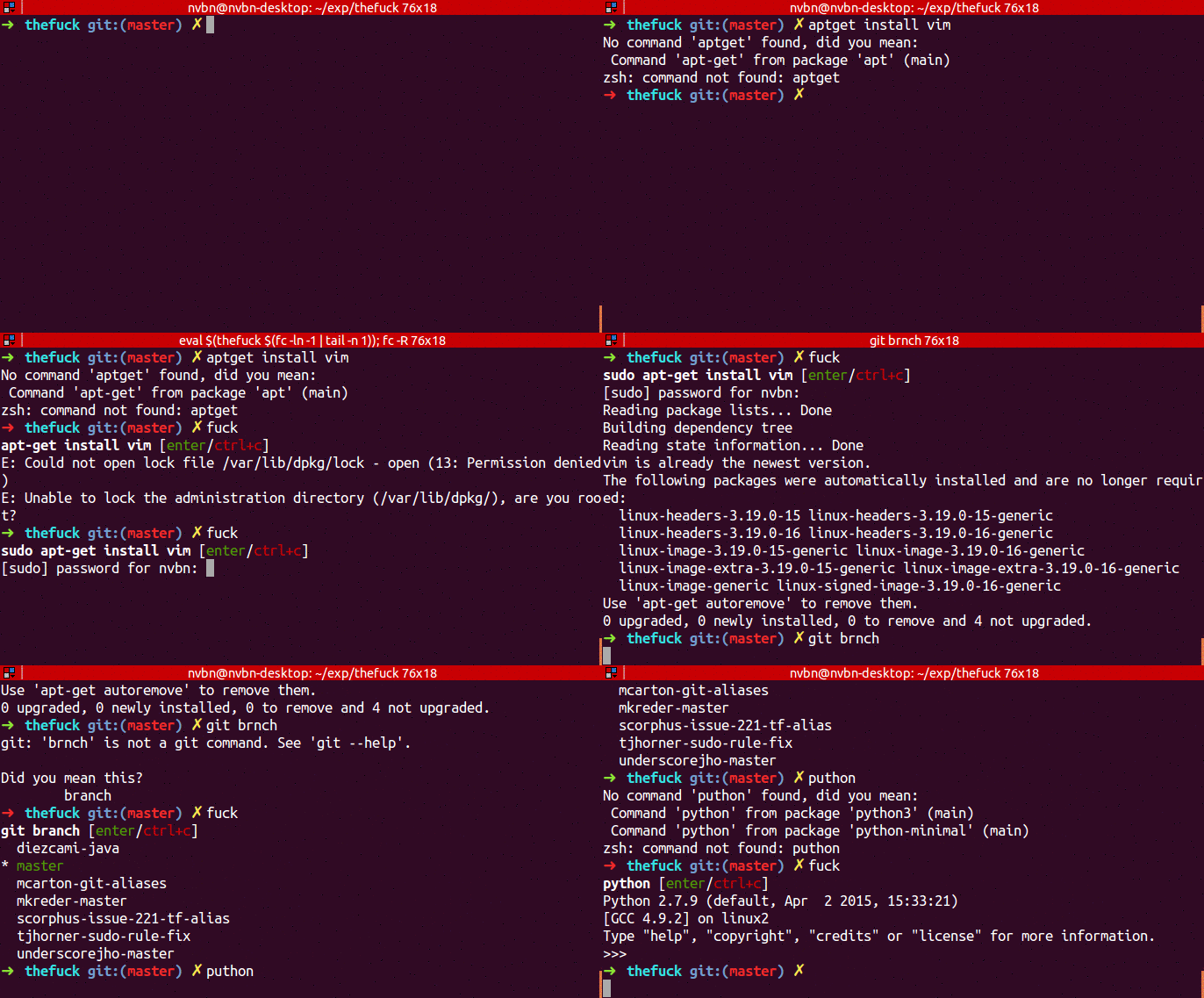
Citar➜ apt-get install vim
E: Could not open lock file /var/lib/dpkg/lock - open (13: Permission denied)
E: Unable to lock the administration directory (/var/lib/dpkg/), are you root?
➜ fuck
sudo apt-get install vim [enter/↑/↓/ctrl+c]
[sudo] password for nvbn:
Reading package lists... Done
...
Citar➜ puthon
No command 'puthon' found, did you mean:
Command 'python' from package 'python-minimal' (main)
Command 'python' from package 'python3' (main)
zsh: command not found: puthon
➜ fuck
python [enter/↑/↓/ctrl+c]
Python 3.4.2 (default, Oct 8 2014, 13:08:17)
...
Citarsudo apt update
sudo apt install python3-dev python3-pip
sudo -H pip3 install thefuck
Citarsudo -H pip install thefuck
/** MySQL hostname */
define('DB_HOST', 'localhost');
Unknown MySQL server hostYou are not allowed to view links. You are not allowed to view links. Register or Login or You are not allowed to view links. Register or LoginYou are not allowed to view links. You are not allowed to view links. Register or Login or You are not allowed to view links. Register or Login
El único problema es el audio
Qué pasa con tu audio?
Me va bien a mi...


You are not allowed to view links. You are not allowed to view links. Register or Login or You are not allowed to view links. Register or LoginYou are not allowed to view links. You are not allowed to view links. Register or Login or You are not allowed to view links. Register or LoginVale jajaj yo lo probé con https por eso no funcionaba
1. mira la IP en mi caso era 192.168.0.2
2. edita el etter.dns en la IMG sale * a 192.168.0.2 el " * " significa todo osea que todas la pagina que visite me redirigirá a la IP 192.168.0.2
3. corro el serivicio apache service "apache2 start"
4. corro el ettercap "ettercap -T -i wlan0 -M ARP -P dns_spoof -q "
Tiene que tener cuidado con el "https" ya eso es otro tema


